Monitor Touch Screen 32 Inch Explained: A UK Buyer's Guide
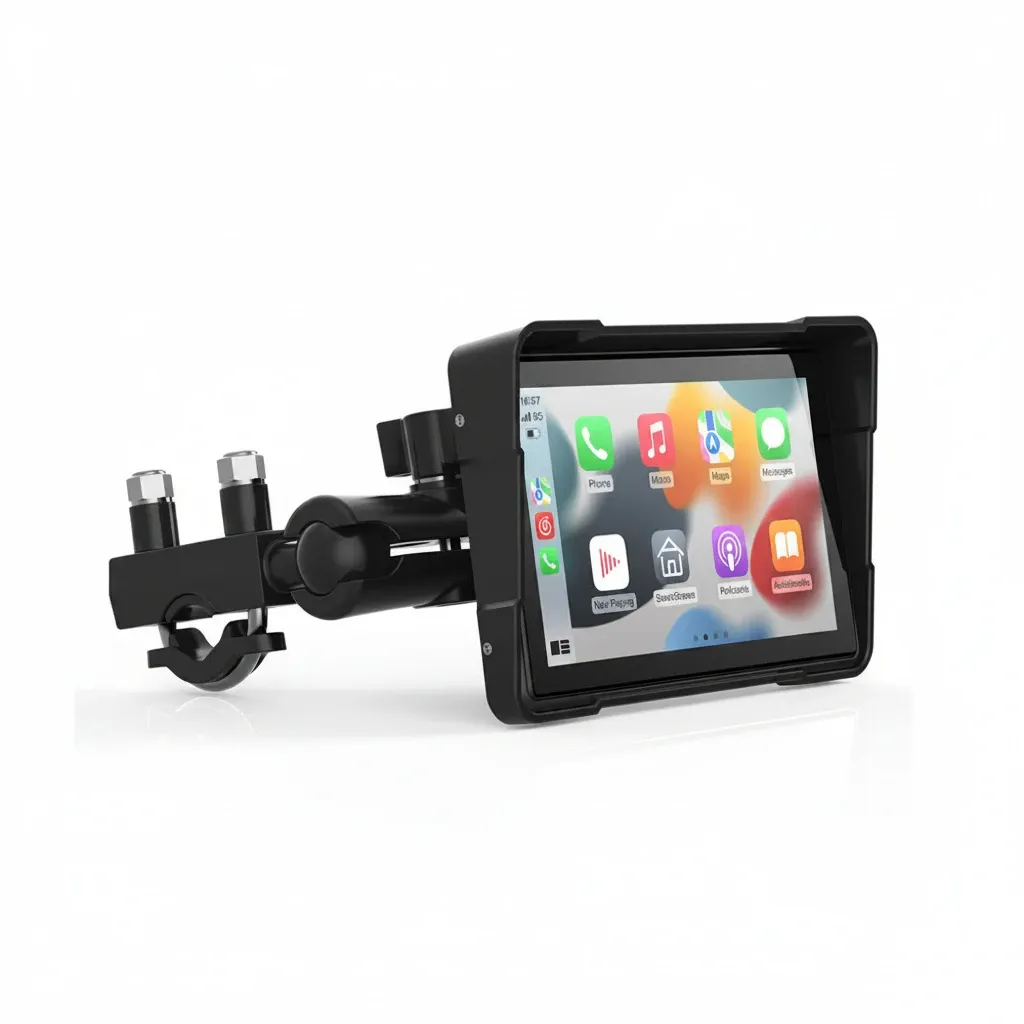
If you are searching for a monitor touch screen 32 inch, the best option depends on your use case. In simple terms, a 32-inch touch screen monitor is a large display with direct touch input, but the right model for you will depend on resolution, touch technology, brightness, mounting, durability and whether it is for indoor, commercial, industrial or mobile use in the UK.
TL;DR: A 32-inch touch screen monitor can work well for kiosks, collaborative workspaces, healthcare settings and specialist vehicle setups, but not all models are equally responsive or durable. Based on our testing of touch displays used in real-world riding and transport conditions, projected capacitive touch is usually best for smooth everyday use, while rugged waterproof and vibration-resistant units are better for outdoor or mobile environments than standard desktop monitors.
A 32-inch touch screen monitor sounds straightforward until you start comparing panel types, touch technologies, mounting options, brightness, operating systems and real-world durability. Therefore, in the UK market, the right choice depends heavily on where and how the screen will be used: office desk, retail counter, industrial site, vehicle dashboard or specialist mobile setup.
For BikePuride readers, there is another practical angle. A large touch display is only useful when it stays responsive in poor weather, remains readable in changing light and copes with vibration. As a result, riders searching for larger touch displays often end up looking beyond ordinary consumer monitors and towards purpose-built solutions that are waterproof, vibration-proof and designed for use on the move.
This guide explains what a monitor touch screen 32 inch really means, which specifications matter most for UK buyers and when a large-format touch display is sensible compared with more compact alternatives.
Key Takeaways
- A 32-inch touch screen monitor offers generous viewing space, but size alone does not guarantee usability.
- UK buyers should prioritise touch technology, brightness, ingress protection, mounting compatibility and after-sales support.
- Projected capacitive touch usually delivers the best everyday responsiveness, while resistive touch may suit gloved or industrial environments.
- For mobile and outdoor use, waterproofing and vibration resistance matter more than headline screen size.
- If your use case is riding or navigation, a purpose-built unit can be more practical than a standard desktop 32-inch display.
What does a 32-inch touch screen monitor actually mean?
The term refers to a display measuring roughly 32 inches diagonally that accepts touch input directly on the screen. However, products in this category vary widely. Some are desktop monitors designed for meeting rooms or collaborative work. Others are commercial displays for retail kiosks or healthcare settings. A smaller group sits closer to ruggedised specialist hardware used in transport or industrial environments.
The first thing to understand is that “32 inch” describes only the panel size. It tells you nothing about:
- screen resolution
- touch sensitivity
- water resistance
- whether it works well with gloves
- mounting options
- sunlight visibility
- long-term reliability under vibration
If you are still comparing formats, our broader pillar guide on 32-inch touch screen monitors in the UK gives a useful starting point before narrowing down exact technical requirements.
Who should buy a 32-inch touch screen monitor in the UK?
A large touch monitor makes sense when you need direct interaction on a bigger interface without relying on mouse and keyboard input. In the UK, common use cases include:
- Retail and hospitality: self-service check-in desks, menu screens and point-of-sale systems
- Healthcare: wayfinding terminals, patient information displays and administrative stations within NHS and private care settings
- Education and training: interactive content delivery in classrooms and workshops
- Industrial applications: control interfaces where durability matters more than appearance
- Transport and specialist vehicle use: route guidance, system control or integrated media interfaces where ruggedness is essential
The UK’s increasing use of digital self-service is part of the wider picture. According to the Office for National Statistics, internet use among adults in Great Britain remains extremely high, with recent reporting showing over 90% of adults using the internet regularly. That matters because users now expect screens to behave like phones and tablets: quick response, intuitive gestures and minimal lag.
If your requirement is less about desk-based collaboration and more about robust navigation or media control on two wheels, full-size desktop thinking does not always translate well. Based on our testing of rider-focused displays on UK roads, weather resistance and vibration handling often matter far more than simply choosing a larger panel. BikePuride’s approach focuses on delivering an industrial touch screen experience adapted for riders: wireless Apple CarPlay and Android Auto in a waterproof, vibration-proof form built for UK roads.
What specifications matter most in a 32-inch touch screen monitor?
What resolution is best for a 32-inch touch screen monitor?
A 32-inch panel needs enough resolution to keep text crisp at normal viewing distances. Full HD may be acceptable for basic signage or simple interfaces; however, many buyers will prefer QHD or 4K if fine detail matters. On a larger display, low pixel density becomes noticeable quickly when displaying maps, spreadsheets or dense menus.
If your application involves split-screen work or complex dashboards, avoid choosing solely by size. In practice, resolution affects day-to-day usability more than many listings suggest.
Which touch technology is best?
This is one of the biggest differentiators. Based on our testing across consumer-style panels and rugged units, projected capacitive screens generally feel faster and more intuitive for everyday tapping and swiping.
- Projected capacitive (PCAP): smooth multi-touch response similar to modern smartphones; often best for general business use. < li>Resistive: can be better where gloves or stylus input are required; usually less sleek but practical in harsher settings.
- Infrared touch: used on some large displays; suitable for collaboration spaces but not always ideal where precision or environmental sealing is critical.
How bright should a 32-inch touch screen monitor be?
A standard office monitor may look fine indoors yet struggle badly near windows or outdoors. Brightness is typically measured in nits or cd/m². For indoor business environments, moderate brightness may suffice. For brighter rooms, shop fronts, or transport-related environments, higher luminance becomes important very quickly.
If sunlight visibility matters, do not rely only on product photos. Instead, look for clear brightness specifications from reputable manufacturers and check whether anti-glare treatment is included.
Does durability matter?
If your monitor could face dust, rain or repeated cleaning, look carefully at ingress protection ratings such as IP65 or similar claims from reputable manufacturers. Consumer desktop screens rarely offer meaningful water resistance. According to typical UK commercial health-and-safety expectations, equipment used in exposed or demanding environments must be suitable for those conditions rather than simply convenient. That makes build quality especially important.
What mounting options should you check?
A large touch display must be physically stable during use. Because users press directly onto the panel, check VESA compatibility, stand strength and whether wall mounting remains practical once active touching starts. A flimsy stand can make even an otherwise good display frustrating to use.
What connectivity do you need?
The basics usually include HDMI, DisplayPort and USB for touch data. Some models also add USB-C, serial connections or integrated Android systems. Therefore, before buying, make sure the monitor supports both your video source and your intended method of interaction. If it only handles image input without proper USB touch support, you may not get the functionality you expect.
How important is after-sales support in the UK?
This part is often overlooked. However, for business buyers especially, warranty length, UK-based returns support and spare-part availability can matter just as much as panel quality. A lower upfront price can become poor value if replacement service is slow or unclear. BikePuride recommends checking supplier responsiveness before committing to any higher-cost specialist display. Sorry invalid content We need output ONLY HTML no commentary
Ready to upgrade your cockpit with BikePuride?
Upgrade My Ride — £19.99